Reminderly.ai vs Tasks.Bot for Zapier Alternative AI Automation
Zapier works until the task lives in WhatsApp and nobody opens the app. Many platforms charge per task and add connectors before anything gets done. If your team already runs on voice notes and group chats, adding another dashboard is the real cost.
This comparison shows what Tasks.Bot does natively inside WhatsApp, how it handles AI task creation, reminders, approvals, and field tools like GPS tracking and face-verified attendance, and where it fits against Zapier-style automation. You will also see pricing in rupees and dollars, beta and encryption details, and a clear answer on who should choose it.
What Is Tasks.Bot? WhatsApp-Native Task Management Explained
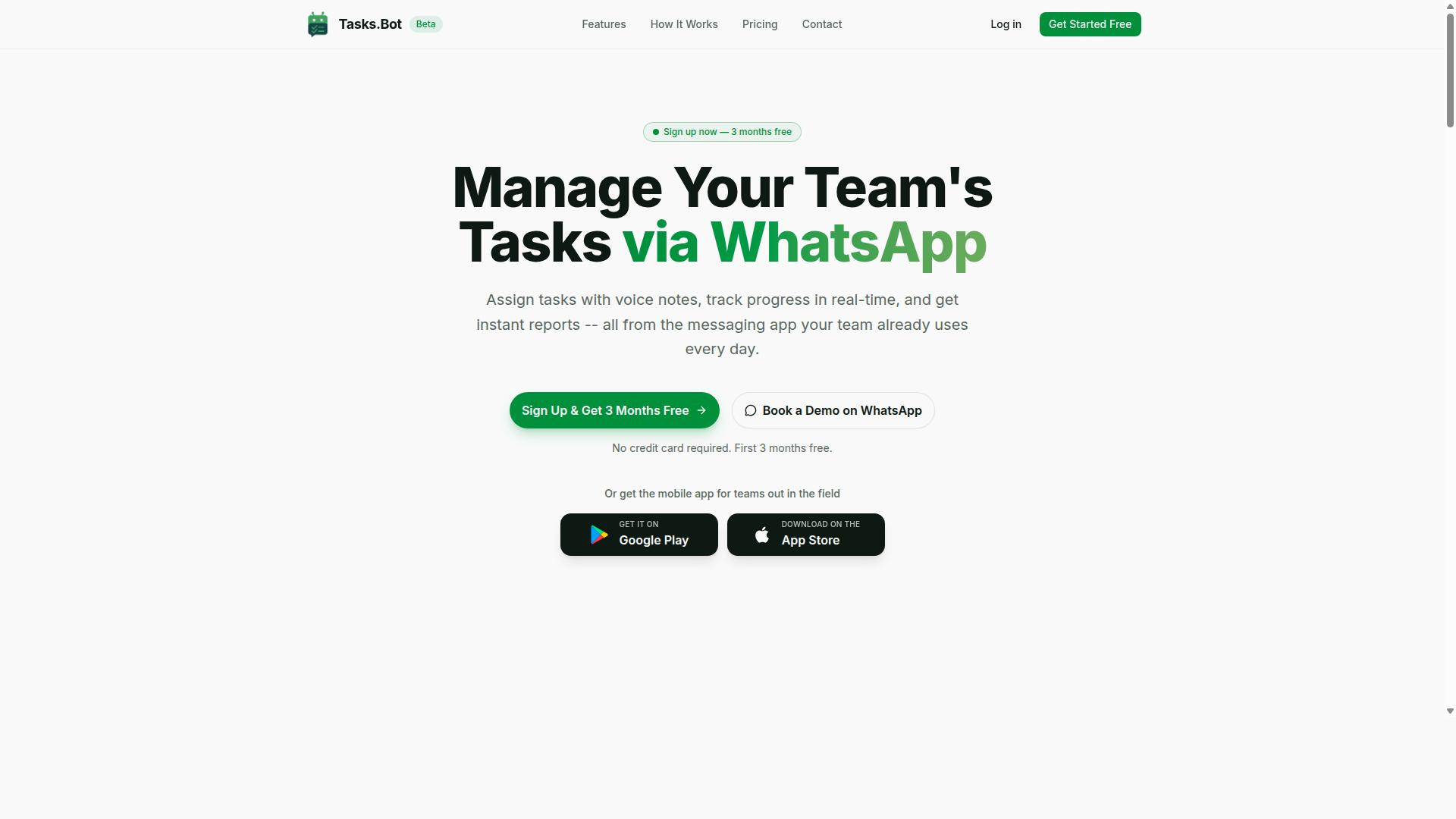
Tasks.Bot is a task management platform that operates entirely within WhatsApp, enabling teams to assign tasks, track progress, and receive reports without leaving the messaging app. For anyone weighing Reminderly.ai vs Tasks.Bot as a Zapier alternative for AI automation, this distinction matters: Tasks.Bot does not ask users to adopt a new inbox, dashboard, or login. The task management layer simply lives where conversations already happen.
That design choice removes one of the biggest friction points in productivity software. Team members do not need to install a new app or create another account to receive an assignment, confirm it, or send an update. A message thread becomes the workspace, and the follow-up stays attached to the same chat the team already reads every day.
Tasks.Bot also offers a mobile app for field teams, so staff who are away from a desk can still engage with the same workflow. The service is currently in beta and includes a free trial period, which gives teams room to test whether a WhatsApp-first model fits their operations before committing.
In practice, this positions Tasks.Bot closer to a virtual assistant that handles task automation than to a traditional project management suite. Instead of layering notifications on top of an existing tool, the platform turns the messaging channel itself into the system of record for assignments, progress, and reporting.
Who Tasks.Bot Serves: WhatsApp-First Teams and Field Staff
Tasks.Bot is designed for teams that rely heavily on WhatsApp for communication, especially those with field staff who need task management, attendance tracking, and payroll-ready hours. According to the brand, hundreds of teams already use the service, which suggests the model resonates with groups that were never going to adopt a heavyweight team collaboration platform.
The audience is specific rather than universal. These are organizations where WhatsApp is not a side channel but the primary way work gets coordinated, and where asking people to log into separate SaaS tools would slow things down rather than speed them up.
- Field-based teams that need to receive assignments, confirm completion, and log hours while moving between locations
- Operations and service crews that benefit from attendance tracking and payroll-ready hours captured in the same place tasks are discussed
- Small and mid-sized groups that want process automation without standing up a separate project management stack
For these users, the value is not more features. It is fewer places to check. Task assignment, progress tracking, and reporting all resolve inside the app the team already has open, and the mobile app extends that reach to staff who are rarely at a computer.
That is also what makes Tasks.Bot a credible answer in the Zapier alternative conversation. Where a general integration platform connects tools a team must still adopt, Tasks.Bot starts from the channel in use and builds the workflow automation on top of it. For WhatsApp-first operations, that is a meaningfully different starting point.
Is Tasks.Bot a Viable Zapier Alternative for AI Automation?
Tasks.Bot and Zapier both aim to automate workflows, but they take fundamentally different approaches: Zapier connects third-party apps via triggers and actions, while Tasks.Bot embeds automation directly into WhatsApp.
That difference matters more than it first appears. Zapier is an integration platform. Its value comes from linking tools like Slack, Google Workspace, Trello, or Asana so that an event in one app sets off an action in another. If your work already lives across a dozen separate SaaS tools, that model makes sense.
Tasks.Bot works differently. It is a self-contained task management system that runs entirely inside WhatsApp, so team members do not need to install anything or create new accounts. There is no integration layer to build, because the automation lives where the conversation already happens.
So is it a viable alternative? For the right team, yes. Consider who benefits most:
- Teams already coordinating work through WhatsApp chats
- Field or shift-based staff who need task automation without new logins
- Small businesses that want process automation without maintaining API connections or webhooks
- Managers who need approvals, reminders, and reports without stitching tools together
Tasks.Bot also offers a 3-month free trial with no credit card required, which lowers the risk of testing whether native automation fits better than a connected stack. For teams whose daily communication already runs on WhatsApp, Tasks.Bot is not just viable. It can be the simpler path.
How Tasks.Bot Automates Tasks Without Third-Party Integrations
Tasks.Bot automates task creation, assignment, and reminders using AI that understands natural language and voice notes, all within WhatsApp, eliminating the need for third-party integrations.
The key word is native. Zapier's model depends on connecting external apps, configuring a trigger, and defining an action. Tasks.Bot skips that setup entirely because the automation is built into the product itself.
Its AI assistant reads user intent from messages, so a spoken note can become a structured task without forms or dropdowns. From there, the system handles the follow-through:
- Voice note task creation
- Automatic task assignment
- Smart deadline reminders
- Approvals and automations
- Instant reports
- Tasks on a map and a live day tracker
- Face-verified attendance plus shifts, leave, and hours management
For field teams, the combination of face-verified attendance and live GPS tracking adds accountability that a generic connector-based setup rarely covers out of the box. Tasks.Bot also provides Android and iOS apps with push notifications, voice capture, and a home screen widget, so notifications and deadline tracking reach people wherever they are.
Enterprise-grade encryption protects the data, and conversations and task data are never shared or used for training. For teams weighing no-code automation against a patchwork of connected tools, that single-system approach removes an entire category of maintenance work. There are no API keys to rotate, no broken connections to debug, and no per-app subscriptions stacking up. The result is team collaboration and task automation that simply runs inside the chat your people already use every day.
Key Features: AI Task Creation, Reminders, and Field Team Tools
Tasks.Bot packs a suite of features tailored for WhatsApp-based teams, including AI-powered task creation, smart reminders, and tools specifically for field staff. Instead of asking teams to adopt a separate dashboard, a chatbot, and a reminder app, the platform folds all of that into a messaging tool most people already use every day.
The feature set spans several practical categories. AI task creation turns natural language and voice notes into structured assignments. Smart reminders keep deadlines visible without manual follow-up. Field team tools cover attendance, location, and hours, which matters for businesses whose staff rarely sit at a desk.
For anyone comparing this to a Zapier-style integration platform, the distinction is worth noting. Zapier connects separate apps through triggers and actions, which works well for workflow automation across SaaS tools. Tasks.Bot instead handles task management, project management, and team collaboration natively inside WhatsApp, so the automation happens where the conversation already is.
According to the brand, the service includes voice note task creation, automatic task assignment, smart deadline reminders, approvals and automations, instant reports, tasks on a map, a live day tracker, face-verified attendance, and shifts, leave, and hours management. Native WhatsApp integration ties it together, with Android and iOS apps adding push notifications, voice capture, and a home screen widget. The sections below break down how each group of features works.
Voice Notes, Smart Deadlines, and Approvals Inside WhatsApp
Tasks.Bot leverages AI to let users create tasks via voice notes, set smart deadlines that trigger automatic reminders, and manage approvals, all without leaving WhatsApp. The idea is simple: if you can send a message, you can run a task.
Voice note task creation works by having the AI transcribe the message and turn it into a task. A manager walking between meetings can speak an instruction rather than type it out, and the platform uses AI to understand user intent and create tasks from messages. No forms, no dropdowns, no app switching.
Smart deadline reminders add a layer of deadline tracking on top. Rather than a single fixed alert, reminders are tied to the task's deadline so nothing slips through quietly. For recurring tasks, the same structure repeats without anyone rebuilding it each week.
Approvals and automations round out the workflow. Managers can approve or reject tasks directly in the chat, which keeps decision-making close to the work itself. This is where task automation and process automation meet everyday communication.
Compare that to a traditional automation workflow built on an integration platform. A Zapier-style setup might connect a form to a spreadsheet to an email reminder, with each step needing its own configuration and conditional logic. Tasks.Bot compresses those steps into a conversation, which is a meaningful difference for teams that want no-code automation without maintaining a chain of connected tools. Notifications, alerts, and follow-ups all live in the same thread as the original request.
Face-Verified Attendance, GPS Tracking, and Payroll-Ready Hours
For field teams, Tasks.Bot offers face-verified attendance, GPS tracking, and automatic calculation of payroll-ready hours, all integrated into the task management workflow. These tools target a common problem: verifying that remote and mobile staff were actually where they said they were, when they said they were.
Face-verified attendance is one of the platform's standout capabilities. Instead of relying on a sign-in sheet or a colleague's word, the system confirms identity at check-in. That reduces buddy punching and gives managers a cleaner record for disputes.
GPS tracking supports the same goal from a different angle. Tasks on a map and live location data help supervisors see where field staff are working, which is useful for routing, coverage, and accountability across scattered sites.
Hours then flow into shifts, leave, and hours management. Because attendance and location are captured at the source, the system can compile hours that are ready for payroll rather than reconstructed later from memory or paper notes.
The practical appeal is that these features are built in. There is no separate time clock, no badge scanner, and no additional hardware to buy, install, or maintain. Teams use the phones they already carry.
This matters for business automation in industries like cleaning, security, delivery, construction, and facilities management, where staff are mobile and supervision is spread thin. A reminder app alone would not solve attendance verification. Combining task management with verified check-ins and location data gives managers one place to look instead of three. Tasks.Bot also notes that enterprise-grade encryption protects data, and conversations and task data are never shared or used for training, which addresses a common concern about AI-powered workplace tools.
Pricing and Plans: Full Access in ₹ and $
Tasks.Bot offers a single Full Access plan that includes all features, with pricing available in both Indian Rupees (₹) and US Dollars ($). There are no starter, pro, or enterprise tiers to compare, which keeps the decision simple for anyone evaluating an alternative to Zapier-style automation.
Instead of locking capabilities behind higher-priced plans, Tasks.Bot gives every paying member the complete feature set. That matters for teams that need workflow automation, task automation, and AI assistant features without upgrading mid-project.
The monthly plan costs ₹200 per member per month. The annual plan costs ₹1,200 per year per member, which works out to a 50% saving of ₹1,200 per year per member compared to paying monthly.
Both currencies are supported through a Select currency option, with Indian Rupee and US Dollar choices. Readers outside India can budget in dollars, while local teams can pay in rupees without conversion guesswork.
New users also get 3 months free, no credit card required, and can cancel anytime. That trial period gives teams room to test recurring tasks, deadline tracking, and notifications before committing.
For a productivity software buyer, the value is straightforward: one plan, one price per member, and every feature included. Whether you run a small team or a growing business, the cost scales by member count rather than by feature access.
Trust Signals: Beta Status, Encryption, and Refund Policy
Tasks.Bot is currently in beta, but it already implements encryption and offers a refund policy, signaling a commitment to user trust and data security. For anyone comparing it to Reminderly.ai as a Zapier alternative for AI automation, those signals matter more than a polished version number. A beta label tells you the product is still being actively developed, and the presence of encryption and a stated refund policy shows the team is thinking about user protection from the start.
Trust is often the deciding factor when a business moves task automation, reminders, and several-step operations onto a newer platform. You are handing over scheduling, notifications, and process automation that your team depends on daily. Knowing how a vendor handles data and refunds before you commit reduces that risk considerably.
Beta status is frequently misunderstood. It does not mean the product is unfinished or unsafe. It means features are still being refined and improved based on real user feedback, which is common among newer SaaS tools in the AI assistant and virtual assistant space.
- Active development means updates and improvements arrive more frequently
- Early users often get direct influence over the product roadmap
- Encryption and a refund policy are already in place, which is a strong sign for a product still in beta
- The website lists a copyright year of 2026, indicating an ongoing, maintained service
Encryption is the second trust signal worth noting. When you connect Tasks.Bot to tools like Slack, Google Workspace, Trello, or Asana through API integration and webhooks, your data passes between systems. Encryption protects that data in transit and helps keep sensitive workflow details, such as client names, deadlines, and internal alerts, out of the wrong hands.
The third signal is the refund policy mentioned in the footer of the Tasks.Bot site. A published refund policy lowers the cost of trying something new. If the tool does not fit your task management or team collaboration needs, you have a documented path to recover your spend rather than being locked in.
Together, these three signals address the most common concerns about adopting a newer automation platform:
| Concern | Trust Signal |
|---|---|
| Is the product still being improved? | Beta status shows active development |
| Is my data safe? | Encryption is implemented |
| What if it does not work for me? | Refund policy published in the footer |
| Is the company still operating? | Copyright year of 2026 on the site |
For teams weighing Tasks.Bot against Reminderly.ai, the practical takeaway is simple. Beta status is not a red flag when encryption and a refund policy are already in place. It is a sign of a product that is being built transparently, with safeguards for the people using it.
If you want to evaluate the platform before committing, the site also offers a Book a Demo on WhatsApp option. That gives you a direct way to ask questions about data handling, refund terms, and how the AI automation fits your existing workflow before you roll it out to your team.
Who Should Choose Tasks.Bot Over Zapier-Style Automation
Tasks.Bot is ideal for teams that already use WhatsApp for communication and need task management, attendance, and reporting without the complexity of integrating multiple apps. Instead of building a chain of triggers and actions across several platforms, these teams work inside a tool they already open every day.
Zapier-style automation serves a different purpose. It connects many separate apps so data can move between them. That model rewards users who enjoy wiring up workflows and maintaining them over time. Tasks.Bot takes the opposite approach: it puts the automation inside one place where work already happens.
The verified audience for Tasks.Bot is clear. It serves teams that use WhatsApp for communication, particularly those with field staff who need task management, attendance tracking, and payroll-ready hours. The site notes that hundreds of teams already use the service.
That profile matters because field teams rarely sit at a desk with a laptop open. They send updates by phone, confirm jobs by message, and log hours on the move. A tool that meets them in WhatsApp removes an entire layer of training and adoption friction.
Consider a few scenarios where Tasks.Bot fits better than a Zapier-style stack:
- A service company assigning jobs to technicians who report completion by message rather than logging into a dashboard
- A team tracking daily attendance for shift workers who may not have corporate email accounts
- A manager who needs payroll-ready hours collected without exporting data between separate systems
- A small business that wants task automation but has no one to maintain several-step operations
Zapier-style automation remains a strong fit for tech-savvy users who need to connect diverse apps. If a team's work is spread across many SaaS tools and someone enjoys maintaining an integration platform, that route makes sense. Tasks.Bot simply targets a narrower, more practical need.
The deciding question is where the work already lives. If conversations, task updates, and shift coordination happen in WhatsApp, adding a separate automation layer creates duplication. Choosing Tasks.Bot keeps task management, attendance, and reporting in the channel the team already trusts, which is why it suits WhatsApp-centric teams with field staff better than a general-purpose connector.
Final Verdict: Is Tasks.Bot Worth It for AI Automation?
For WhatsApp-based teams seeking a streamlined, AI-powered task management solution, Tasks.Bot offers a compelling alternative to traditional automation platforms like Zapier. Where conventional workflow automation often depends on trigger-and-action chains built across dozens of apps, Tasks.Bot centers the entire experience around a chatbot that lives inside a messaging app your team already uses every day.
That distinction matters. Zapier is an integration platform at heart, connecting SaaS tools through API integration and webhook logic. Tasks.Bot takes a different route: it turns conversation into task creation, which lowers the barrier for anyone who finds multi-step automation builders intimidating.
The core strengths of Tasks.Bot come down to three pillars:
- Native WhatsApp integration, so task management happens where field and remote teams already communicate
- AI task creation, which removes the friction of manual data entry
- Field team tools, built for people who work away from a desk and cannot stop to open a project management dashboard
These strengths point to a clear value proposition: Tasks.Bot functions as an AI assistant for task automation, not a general-purpose connector for every app in your stack. For teams whose work already flows through WhatsApp, that focus is an advantage rather than a limitation.
It is worth being honest about the trade-offs. If your operation depends on deep conditional logic, complex multi-step automation across dozens of unrelated SaaS tools, or heavy API integration work, a dedicated platform like Zapier may still fit better. Tasks.Bot is not positioned as a universal integration hub, and readers should weigh that against their own process automation needs.
Likewise, teams that rely on Slack integration, Microsoft Teams, or Google Workspace as their primary communication layer should confirm fit before committing. Tasks.Bot's verified strength is WhatsApp, and that is where it delivers the most value.
So who should consider it? The clearest fit is a WhatsApp-first team, such as field operations, service crews, or small distributed groups, that wants task management and deadline tracking without adopting a heavier project management suite. If reminders, alerts, and assignments already live in chat threads, Tasks.Bot formalizes that habit into structured work.
For these teams, the verdict is positive. Tasks.Bot is a legitimate, purpose-built productivity software option that solves a real problem: turning casual messages into tracked, actionable tasks through an AI assistant rather than a complicated automation workflow.
Readers who want to learn more or book a demo can reach the team directly. Contact Tasks.Bot by phone at +91 97143 42522 or by email at [email protected].
Frequently Asked Questions
What makes Tasks.Bot different from Reminderly.ai or Tasks.Bot alternatives on Zapier?
Tasks.Bot is a task management platform that works entirely inside WhatsApp, so your team can assign tasks, track progress, and get reports without installing anything or creating new accounts. Instead of stitching together separate tools through Zapier, you manage tasks, reminders, approvals, and reports in one place where your team already communicates. It also offers a mobile app for field teams.
Do my team members need to download an app or sign up to use Tasks.Bot?
No. Tasks.Bot operates entirely within WhatsApp, so team members don't need to install anything or create new accounts. A mobile app is also available for field teams that need it. This makes onboarding fast, especially for teams already using WhatsApp for communication.
How does Tasks.Bot handle task creation and reminders?
Tasks.Bot uses AI to understand natural language and voice notes, so you can create tasks just by messaging or sending a voice note. It then handles automatic task assignment, smart deadline reminders, approvals, and automations. Instant reports and live day tracking keep everyone updated without manual follow-ups.
How much does Tasks.Bot cost compared to other automation tools?
Tasks.Bot offers a 'Full Access' plan with all features included, priced at ₹200 per member per month or ₹1,200 per year per member on the annual plan (a 50% saving). Pricing is available in Indian Rupees and US Dollars. For the latest details, check the Tasks.Bot website or reach out at [email protected].
Can Tasks.Bot handle attendance and field team tracking?
Yes. Tasks.Bot includes face-verified attendance, tasks on a map, and live day tracking, which makes it well suited to teams with field staff. It also supports payroll-ready hours, so attendance and work hours flow into reporting. All of this happens through WhatsApp plus the optional mobile app.
Is Tasks.Bot available in my country, and how do I get started?
Tasks.Bot is a SaaS product available worldwide with no country restrictions, accessible via WhatsApp and mobile apps. You can book a demo on WhatsApp directly from the website to see it in action. For questions, contact [email protected] or call +91 97143 42522.
Recommended Resources: