What to Look For in a Geo-Targeting CTR Manipulation Tool
Your geo-targeted campaign shows clicks from Dallas, but the rankings barely move in Dallas. Location settings that only reach country level hide the gap between where your ads say you are and where the searches actually happen.
This article breaks down what a geo-targeting CTR tool should offer, using CTRTool's feature set as a working example. You will learn how country, state and city targeting work in practice, what screenshot proof and full visit paths reveal about campaign quality, and how platform coverage, desktop versus mobile campaigns, pricing and trust signals should shape your decision.
What Is CTRTool?
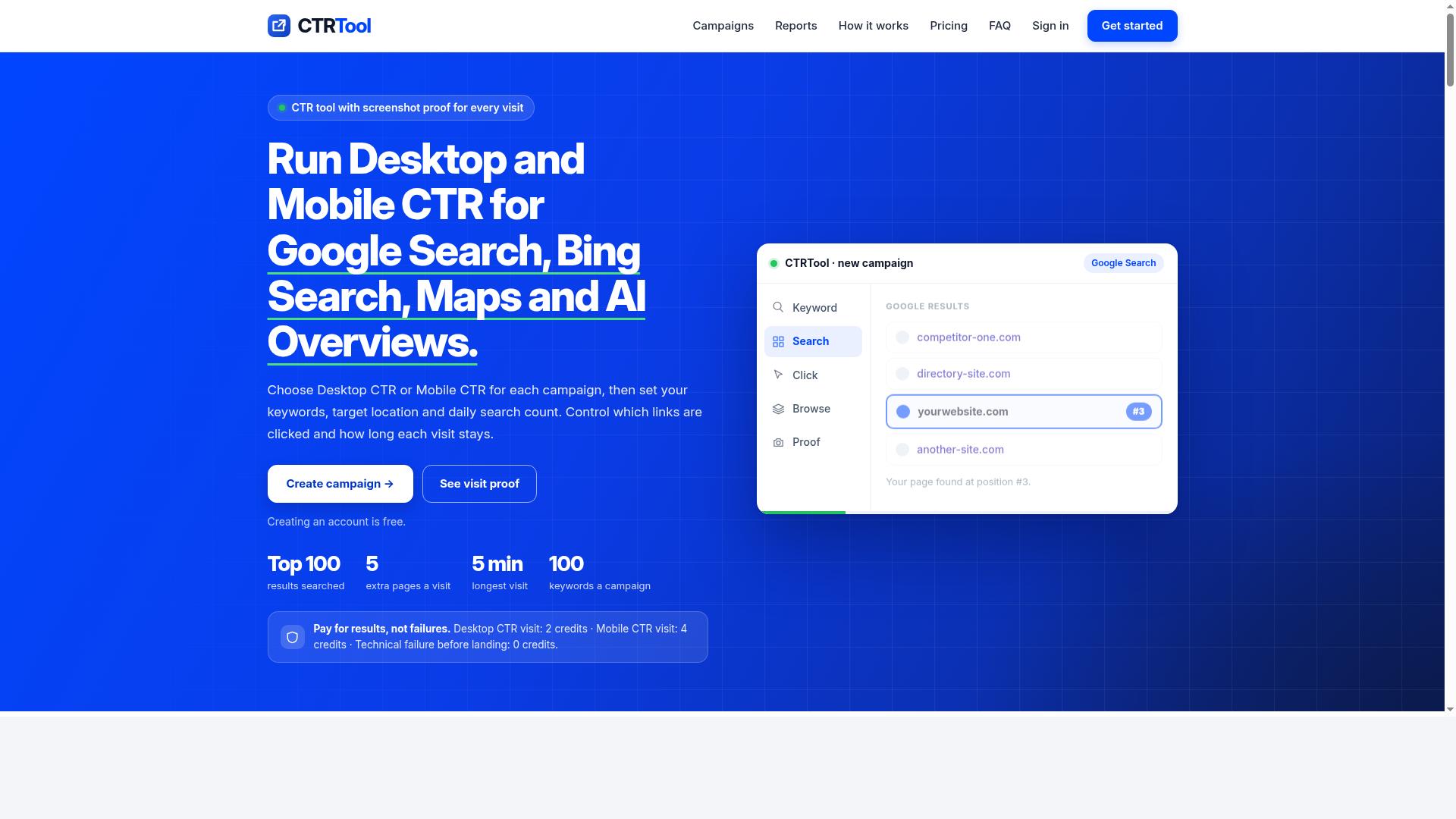
CTRTool is a SaaS platform that runs click-through rate campaigns for Google Search, Bing Search, Google Maps, and AI Overviews, providing screenshot proof for every visit. It sits in the SEO tool space as a CTR campaign tool, built to simulate organic clicks that may influence search rankings.
Users pick Desktop CTR or Mobile CTR per campaign, then set keywords, target location, and daily search count. They also control which links get clicked and how long each visit stays, giving geo-targeting and behavior control in one place.
The platform is upfront about limits. Its own site states that automated visits do not guarantee rankings, a detail worth keeping in mind as you evaluate any tool in this category.
Does CTRTool Deliver the Geo-Targeting Features That Matter?
This section evaluates whether CTRTool's geo-targeting capabilities meet the needs of SEO practitioners running location-specific campaigns. The features that matter most are country-level targeting, state and city precision, and coverage across the platforms where organic visibility is won.
Each matters for a different reason. Country targeting keeps traffic patterns believable on broad campaigns, while city-level targeting is essential for local SEO and Maps work. Platform coverage decides whether one tool can serve every campaign type.
The three subsections below examine CTRTool against each of these criteria, using only its verified feature set. The goal is a clear picture of where the tool is strong and where practitioners should set expectations.
Location Targeting: Country, State and City Precision
CTRTool allows campaigns to target a specific country and optionally a state and city, or use 'Any country' for a mix of supported locations. That structure covers the two most common campaign shapes: tightly local and broadly diversified.
Visits are delivered through Desktop Chrome windows and real Android phone sessions matched to the target location via managed proxy routes. This matters because geographic targeting is only as good as the infrastructure behind it. If a visit cannot verify the requested location, no credits are used, which removes much of the risk from testing a new location setup.
A practical example: a local business running Google Maps campaigns can target New York, NY specifically, so listing clicks and city-level signals stay concentrated where they count. A national brand might instead run 'Any country' campaigns to keep click distribution varied.
One gap to note honestly: CTRTool does not list ASN targeting, ISP filtering, or carrier targeting. Teams that need that level of network granularity will have to weigh whether country, state, and city precision is sufficient. For most local SEO and Maps use cases, it is.
Screenshot Proof and Full Visit Paths for Every Campaign
Every CTRTool campaign includes screenshot proof for each visit, with separate images for search and landing pages, plus full visit paths to verify user behavior. This is a transparency feature that many tools in this category simply do not offer.
The proof set answers the questions clients actually ask. Did the search happen? Was the right result clicked? Did the visitor reach the page? The full path from search to landing page, including internal pages visited, shows the session behaved like organic traffic simulation rather than a single isolated click.
For agencies, this changes the reporting conversation. Instead of describing what a campaign should have done, they can show search and website screenshots as evidence of each visit. Clients see verification, not assurances.
Reports also track keyword positions over time, covering Search positions, Maps listing order, and AI citation order. Combined with visit proof, that gives a before-and-after view of ranking movement alongside proof of the activity itself. Tools without proof leave practitioners relying on trust alone, and that is a meaningful difference when campaigns are billed to a client.
Platform Coverage: Google Search, Bing, Maps and AI Overviews
CTRTool supports CTR campaigns across Google Search, Bing Search, Google Maps, and AI Overviews, covering the major platforms where organic visibility matters. Each campaign type has its own mechanics, so it helps to know exactly what each one does.
- Google Search CTR: searches a keyword, clicks the organic result, works on Desktop or Mobile, and searches through the Top 100 results. Internal pages can be included.
- Bing Search CTR: the same keyword-and-click model applied to Bing, with the same Desktop or Mobile choice and Top 100 search depth.
- Google Maps CTR: finds a business listing and clicks its website link, checking up to 50 listings, with city targeting available.
- AI Overview CTR: finds the website within the overview and clicks its source link, with citation order tracked over time.
This multi-platform approach means one credit balance covers every campaign type, website, and keyword, so practitioners are not juggling separate accounts per platform. Campaigns support up to 100 keywords each, with up to 100 campaigns available.
One limitation worth stating: AI Overview campaigns depend on matching criteria, since the overview must appear with the site cited for the click to happen. That is a condition of the format itself, not a flaw in the tool. Practitioners should plan AI Overview work around that reality.
Key Features and What Makes CTRTool Stand Out
Beyond geo-targeting, CTRTool offers several features that differentiate it from other CTR manipulation tools. The platform pairs device-specific campaign options with ongoing keyword position tracking, so users can see whether rankings actually move after a campaign runs. Screenshot proof for every visit adds a verification layer that many tools in this space do not provide.
These features matter because a geo-targeting CTR manipulation tool is only as useful as the evidence it produces. Without proof and tracking, a campaign is little more than guesswork. CTRTool builds both into the core workflow, alongside a pay-for-results credit model that avoids charging for technical failures before landing.
Desktop vs. Mobile Campaigns and Keyword Position Tracking
CTRTool lets users choose between Desktop CTR and Mobile CTR for each campaign, and it tracks keyword positions over time, including Maps listing order and AI citation order. That separation matters because desktop and mobile search behavior differ. Session length, click patterns, and the layout of the search engine results page all shift by device, so a device-specific campaign simulates real user activity more accurately than a blended approach.
Running mobile and desktop campaigns separately also keeps data clean. If both device types were mixed into one campaign, you could not tell which environment drove a ranking change. Splitting them lets you compare outcomes and adjust click distribution and timing per device.
Keyword position tracking is the measurement side of the tool. CTRTool monitors rankings over time for the keywords you target, and it extends beyond classic organic positions to include Maps listing order and AI citation order. Those surfaces are increasingly where local and informational searches resolve, so ignoring them would leave a gap in any geo-targeting strategy.
This tracking turns a campaign into something you can evaluate. A practical example: record a keyword's position before launch, run a desktop campaign for a set period, then compare the position afterward. If the keyword moved from page two to page one, the campaign has measurable support. If it held steady, you can adjust targeting or timing rather than guessing.
Proof mechanisms reinforce the same idea. CTRTool provides screenshot proof for every visit, with search and landing screenshots delivered as separate proof images, plus full visit paths. Combined with position tracking, this gives users a clear before-and-after picture of campaign effectiveness.
Pricing and Plans
CTRTool offers monthly plans in USD: Starter at $59/month for 2,000 credits (up to 1,000 Desktop CTR visits or 500 Mobile CTR visits) and Growth at $125/month for 5,000 credits (up to 2,500 Desktop or 1,250 Mobile visits). Two larger tiers, Scale and Agency, cover heavier campaign volumes.
All four plans follow the same structure, so you can read the table below and see exactly what each tier delivers. The Growth plan is marked Recommended on the site, which suggests it is the most popular middle ground for active campaigns.
| Plan | Monthly Price | Credits | Up to Desktop Visits | Up to Mobile Visits |
|---|---|---|---|---|
| Starter | $59 | 2,000 | 1,000 | 500 |
| Growth (Recommended) | $125 | 5,000 | 2,500 | 1,250 |
| Scale | $399 | 20,000 | 10,000 | 5,000 |
| Agency | $699 | 40,000 | 20,000 | 10,000 |
The credit system is the core of how billing works. Credits are spent on visits, and the cost per visit depends on the device type you target.
- Desktop CTR visit: 2 credits
- Mobile CTR visit: 4 credits
- Verified search without a match: 1 credit
- Technical failure before landing: 0 credits
Mobile visits cost twice as much as desktop visits, which likely reflects the extra complexity of emulating mobile devices convincingly. For a geo-targeting CTR manipulation tool, that distinction matters because mobile traffic often requires more careful device fingerprinting to look natural.
The zero-credit rule for technical failures is worth noting. You are not charged when a visit fails before it reaches the landing page, and unmatched searches cost a single credit rather than a full visit. These small details protect your budget when running country-level targeting or city-level targeting across many locations.
Unused credits roll over while your subscription stays active, then expire once a cancellation takes effect. That rollover policy gives you room to run uneven campaigns, for example heavier click distribution in one week and lighter click velocity the next, without losing the balance.
Creating an account is free, so you can inspect the dashboard before committing to a plan. Custom development is quoted separately as an agreed one-time fee, which suits buyers who need something beyond the standard tiers.
The site also displays limited launch pricing with a notice that prices rise 30% on November 15. If you are comparing plans, factor that stated increase into your decision rather than assuming today's rates are permanent.
Value for money depends on what you compare it against. Hiring manual clickers is slow, hard to coordinate across time zones, and difficult to audit for human-like behavior and consistent traffic patterns. A credit-based tool keeps the cost per visit visible and predictable.
Competing tools often hide visit limits behind vague quotas. CTRTool's per-visit credit costs let you calculate spend in advance, which is useful when planning geo-targeting campaigns.
For most buyers, the Growth plan at $125/month offers the best balance of volume and price. Teams running many locations or client accounts will find Scale and Agency more economical per credit. Either way, the transparent credit model makes CTRTool a credible, fairly priced option for serious SERP CTR work.
Trust Signals
CTRTool builds trust through screenshot proof for every visit, transparent legal notices, and accessible support. For anyone evaluating a geo-targeting CTR manipulation tool, these signals matter because the work happens behind the scenes and buyers cannot watch it in real time.
Trust signals are the evidence a tool offers that it actually does what it claims. They separate a serious platform from an anonymous page that takes payment and disappears. The stronger and more checkable the signals, the easier the decision becomes.
Screenshot proof is the core mechanism. CTRTool provides screenshot proof for every visit, which gives buyers a direct way to verify that clicks were delivered as described. This kind of proof is far more useful than a vague promise, because it ties each campaign to something the customer can inspect.
When comparing tools, treat verifiable delivery evidence as a priority. A platform that documents its work is easier to hold accountable than one that only reports totals in a dashboard.
Official website and legal notices. CTRTool operates through its official website and maintains a dedicated legal notices page. Both are signs of a business that stands behind its terms rather than hiding behind a disposable landing page.
A legal notices page typically covers the rules of use, liability, and the operator's identity. Buyers should always confirm these pages exist and read them before committing to any campaign.
Support email availability. Reachable support matters for a service that runs ongoing campaigns. A working support contact means questions about geographic targeting, proxy infrastructure, or campaign settings have somewhere to go.
Test the channel before you buy. A short pre-sale question is a simple way to gauge response quality without spending on a campaign first.
What is missing can shape perception. No social, directory, or review profiles are listed for CTRTool in its published materials. That absence is worth noting honestly, since some buyers look for third-party reviews before deciding.
It does not mean the tool is untrustworthy. It means the proof rests on the platform's own documentation, so the screenshot mechanism and the legal pages carry more weight. Buyers who value independent reviews should weigh that gap accordingly.
A balanced checklist for any geo-targeting CTR manipulation tool looks like this:
- Screenshot or other verifiable proof of delivered visits
- An official website with clear operator information
- A legal notices page covering terms and liability
- A support email that responds to pre-sale questions
- Honest awareness of whether third-party reviews exist
CTRTool satisfies the first four directly. The missing review presence is a fair caveat, not a red flag, given that the proof mechanism is built into the service itself.
Weigh these signals together rather than in isolation. A tool with strong delivery proof and clear legal terms earns more confidence than one with polished marketing and nothing to verify.
For CTRTool, the combination of per-visit screenshot proof, published legal notices, and a support contact forms a credible foundation. Buyers who check these points before starting a campaign are making a sound, evidence-based decision.
Who Should Use CTRTool
CTRTool is designed for SEO practitioners and agencies running CTR campaigns for their own or client websites across Google Search, Bing Search, Google Maps, and AI Overviews. It is built for people who treat click-through rate as a measurable signal rather than a guess, and who need campaigns aimed at specific places instead of scattered impressions.
The tool fits users who want proof and geographic precision from their campaigns. If you are running a geo-targeting CTR manipulation tool to influence rankings in defined markets, the audience below is where CTRTool makes the most sense.
SEO professionals are a natural fit. They work across multiple search surfaces and need a repeatable way to run and observe CTR campaigns. CTRTool supports work on Google Search, Bing Search, Google Maps, and AI Overviews, which means one practitioner can cover both classic SERP CTR work and newer visibility questions.
Agencies managing multiple clients also belong here. Client websites often sit in different cities, regions, or countries, so country-level and city-level targeting matters. CTRTool is positioned for campaigns run on behalf of clients as well as on your own properties.
Businesses improving local rankings round out the core audience. Local visibility depends on Maps results and nearby search behavior, so a tool that lets you direct a campaign at a specific geography is more useful than one that treats all traffic the same.
Common scenarios where CTRTool fits:
- Boosting Maps visibility by running campaigns aimed at a defined service area or city.
- Improving keyword rankings by testing CTR movement on specific terms rather than broad traffic.
- Testing AI Overviews to see how visibility in those results responds to campaign activity.
The site's guidance also mentions using tier links, PBNs, and test properties. That tells you the intended user is comfortable with link infrastructure and controlled test setups, not just someone looking for a one-click ranking shortcut.
If you need a campaign you can point at a location and evaluate on evidence, CTRTool is built for that job. It is a tool for practitioners who plan, target, and check results, and that is exactly the profile it serves.
Final Verdict
CTRTool delivers solid geo-targeting with country, state, and city precision, backed by screenshot proof and multi-platform support, making it a strong option for agencies needing verifiable CTR campaigns.
Across the criteria that matter most in a geo-targeting CTR manipulation tool, it holds up well on the fundamentals. Geographic targeting covers the levels most campaigns actually need, and the screenshot proof gives buyers something many tools in this space simply do not offer: a way to confirm that clicks were delivered as specified.
Platform coverage and pricing round out the strengths. Agencies running campaigns across multiple search engines get a single workflow instead of juggling separate tools, and the cost structure makes it accessible for teams that need repeatable campaigns rather than one-off tests.
The limitations are worth stating plainly. CTRTool does not appear to offer ASN targeting or ISP filtering, which matters if your strategy depends on carrier-level or network-level segmentation. Teams that need that depth will have to weigh whether country, state, and city precision is enough for their use case.
There is also no social proof in the form of published case studies or user testimonials to review. That does not undermine the tool's core capability, but it does mean buyers evaluating risk should lean on the screenshot proof and platform coverage rather than third-party validation.
For most agencies, those gaps are secondary. The core question in this category is whether a tool can place clicks where you need them and show you evidence afterward. On both counts, CTRTool answers clearly.
CTRTool fits best with agencies and SEO teams running verifiable click-through rate campaigns across multiple platforms. If your campaigns are organized around country-level or city-level targeting and you want documented delivery, it is a straightforward match.
It is a weaker fit for specialists whose strategies hinge on ASN targeting or ISP filtering, or for buyers who will not purchase without visible testimonials. Those users should confirm their requirements before committing.
For everyone else, the verdict is simple: CTRTool is a credible, purpose-built option for geo-targeted CTR work, with the precision and proof that make campaigns defensible.
To learn more, visit ctrtool.com or contact support at vaibhav@autoblogging.ai for more information.
Frequently Asked Questions
What geo-targeting options should I look for in a CTR manipulation tool?
Look for a tool that lets you target a specific country and optionally narrow it down to a state and city, rather than only offering broad country-level targeting. CTRTool supports choosing a country with optional state and city targeting, or an "Any country" option that uses a mix of supported locations, so you can match campaigns to the markets you actually care about.
Why does screenshot proof matter when choosing a CTR tool?
Screenshots let you verify that each visit actually happened as described, instead of trusting a dashboard number. CTRTool provides screenshot proof for every visit, with search and landing screenshots delivered as separate proof images, along with full visit paths so you can review what each visit looked like.
Does the tool need to support both desktop and mobile campaigns?
Yes, because search results and click behavior differ between devices, and you'll likely want to test both. CTRTool lets you choose Desktop CTR or Mobile CTR per campaign, and its monthly plans reflect the difference in visit volume between the two.
Which search surfaces should a geo-targeting CTR tool cover?
At minimum, check that the tool covers the surfaces where your keywords actually appear. CTRTool runs campaigns for Google Search, Bing Search, Maps and AI Overviews, and it tracks keyword positions over time, including Maps listing order and AI citation order.
How does pricing work, and what should I compare?
Compare how each tool charges and what a credit actually buys you. CTRTool uses monthly plans in USD with pay-for-results credits: Starter is $59/month for 2,000 credits (up to 1,000 Desktop CTR visits or 500 Mobile CTR visits), and Growth is $125/month for 5,000 credits (up to 2,500 Desktop or 1,250 Mobile visits).
Are there eligibility requirements my pages must meet before running a campaign?
Yes, so confirm the tool's requirements before you buy. With CTRTool, the page must appear within the top 100 organic results for the chosen keyword and location, Maps campaigns check up to 50 listings (about five pages), and AI Overview campaigns need a matching source link.