Karo.bot vs Tasks.Bot for Conditional Logic Automation
Your team already runs on WhatsApp, so why add another app for task approvals?
Conditional logic decides who gets pinged when a job status changes, and picking the wrong tool means missed handoffs for field staff.
This article breaks down how Tasks.Bot handles automations and approvals inside WhatsApp, where its AI and voice notes fit into conditional workflows, and how Karo.bot's approach differs. By the end, you will know whether Tasks.Bot fits your team's approval chains, what its beta status and pricing mean for you, and which tool to choose.
What Is Tasks.Bot?
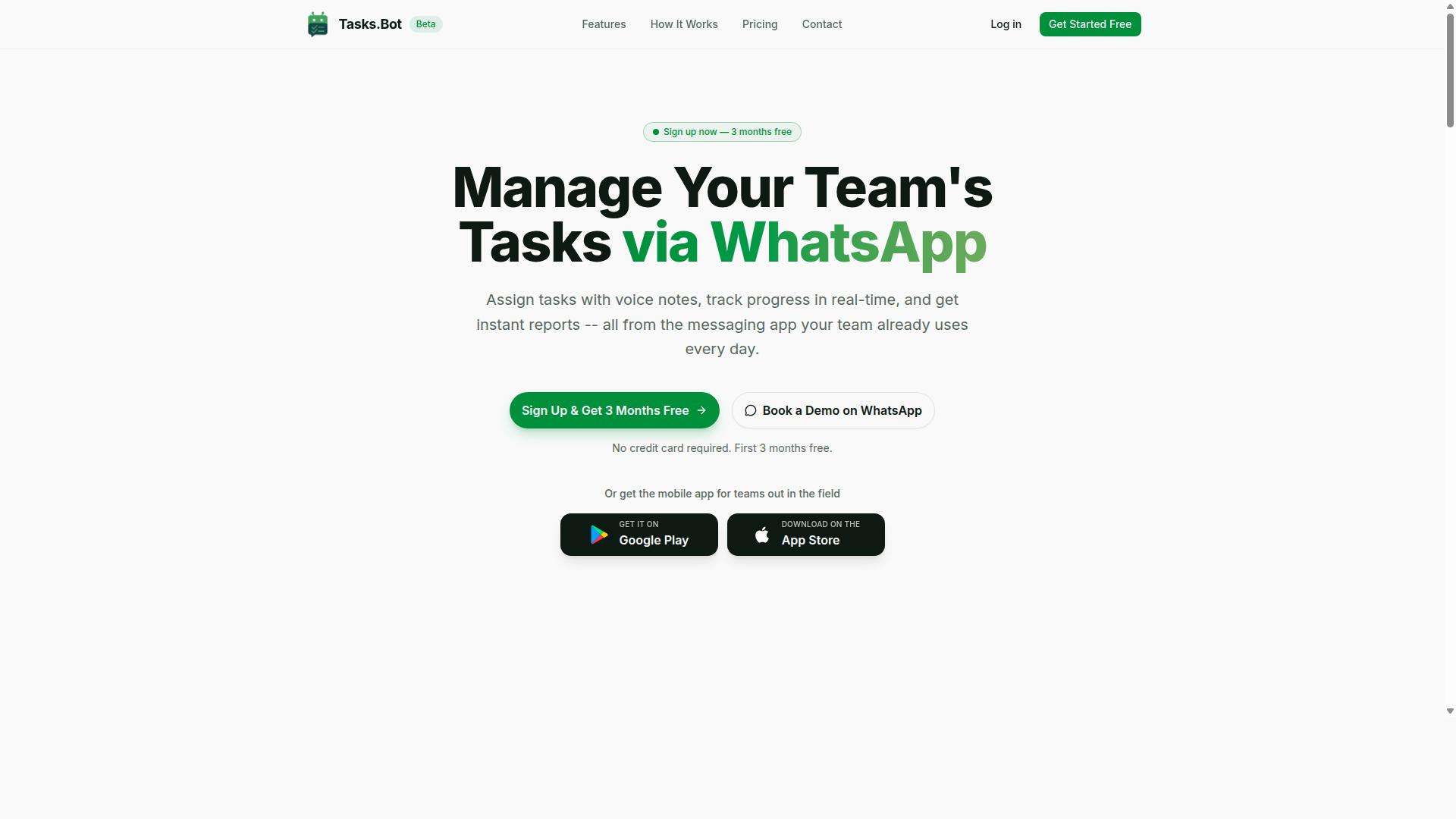
Tasks.Bot is a task management platform that operates entirely within WhatsApp, enabling teams to assign tasks, track progress, and receive reports without leaving the messaging app.
That design choice removes one of the biggest barriers to adoption: no new software to install and no accounts to create. Team members simply work where they already chat every day.
For field teams, Tasks.Bot also offers a mobile app, so staff who are away from a desk still have a dedicated tool when they need one. The platform uses AI to understand natural language and voice notes, which makes task creation fast and low-friction rather than form-driven.
Tasks.Bot is currently in beta and offers a free trial period, so teams can evaluate it before committing.
Who Tasks.Bot Serves: WhatsApp-First Teams and Field Staff
Tasks.Bot is designed for teams that already rely on WhatsApp for communication, especially those with field staff who need to manage tasks, track attendance, and generate payroll-ready hours.
These are groups where messaging is not a side channel but the primary way work gets coordinated. When the whole team already lives in WhatsApp, adding another login-based tool often means low adoption and half-updated statuses. Tasks.Bot sidesteps that problem by keeping task management inside the same thread people already check.
The platform's core use cases map to everyday operational needs:
- Task assignment for distributed workers who are rarely at a computer
- Attendance tracking for teams spread across sites or routes
- Payroll-ready hour reporting so time data flows into pay without manual re-entry
Industries with mobile, shift-based, or location-dependent work tend to feel this pain most. Construction crews, delivery services, and field sales teams are common examples, since their staff move between locations and coordinate in real time.
According to the brand, hundreds of teams already use the service. For a platform still in beta, that signals real adoption rather than a concept.
For this audience, the value is less about advanced configuration and more about removing friction. A tool that requires nothing new to learn is a tool people actually use.
Does Tasks.Bot Support Conditional Logic Automation?
Tasks.Bot does support conditional logic automation, allowing teams to set up rule-based workflows that trigger actions based on specific conditions within the WhatsApp interface.
The platform delivers this through its approvals and automations features rather than a traditional visual workflow editor. Instead of dragging boxes onto a canvas, users define conditions and outcomes in plain language, and the AI interprets the intent behind each instruction.
Simple if-then rules sit at the center of this. A team might configure "if a task is marked complete, then notify the manager" or "if a deadline is missed, then escalate." These trigger-action workflows run inside the same chat where the work already happens, so no separate tool is needed to enforce them.
The mechanics behind these rules, including how voice notes, text commands, and approvals feed into them, are covered next.
How Automations and Approvals Work Inside WhatsApp
Inside WhatsApp, Tasks.Bot automations and approvals operate through a combination of AI-driven natural language processing and predefined rules that trigger actions based on task status, deadlines, or user responses.
Creating a rule takes no coding. A user can send a voice note or type a command such as "when task X is done, assign task Y to John," and the AI understands the intent and sets the automation in motion. This natural language approach removes the learning curve that comes with a drag-and-drop interface or a visual workflow editor.
Approvals add a second layer of conditional branching. A task can be configured to require manager sign-off before it is marked complete, and the outcome of that approval determines what happens next. If approved, the workflow moves forward. If rejected, it routes back to the assignee or escalates elsewhere.
Concrete examples of if-then-else logic in action include:
- If a task is overdue by 24 hours, send a reminder to the assignee and notify the supervisor.
- If a task is marked complete, trigger the next step in a multi-step workflow.
- If an approval is declined, return the task to the assignee with a note.
Supporting features reinforce these rules. Smart deadline reminders keep time-sensitive work visible, automatic task assignment moves work to the right person without manual routing, and instant reports show what happened after each trigger fired. Together, these pieces form event-driven automation that runs quietly in the background of everyday chat.
Because everything lives in WhatsApp, teams get rule-based automation without adopting a separate automation platform or writing a single line of code.
Conditional Logic Automation Compared: Karo.bot vs Tasks.Bot
When comparing conditional logic automation capabilities, Karo.bot and Tasks.Bot take fundamentally different approaches: Karo.bot emphasizes visual workflow building, while Tasks.Bot leverages AI and natural language within WhatsApp.
Karo.bot is known for its visual workflow editor, drag-and-drop interface, and support for Telegram bots. Tasks.Bot, by contrast, operates entirely within WhatsApp and uses AI to interpret natural language and voice notes for task creation.
That distinction shapes everything from setup time to who can realistically build an automation. The sections below break down where each approach fits.
Where Tasks.Bot's AI, Voice Notes, and Natural Language Fit In
Tasks.Bot's conditional logic automation is powered by AI that interprets natural language and voice notes, allowing users to define triggers and actions conversationally rather than through a visual builder.
A user can type or speak something like "If the client approves the design, then assign the next task to Sarah," and the bot turns that instruction into a working automation rule. No canvas, no connector lines, no node configuration. The if-then-else logic lives inside the sentence itself.
This matters most for non-technical teams. Traditional no-code automation builders assume users understand concepts like triggers, actions, and branching paths, then ask them to assemble those pieces visually. Tasks.Bot removes that translation step. Team members describe the outcome they want in plain language, and the system handles the conditional branching behind the scenes.
Conditional execution in Tasks.Bot is handled through conversational commands, and the platform supports several-step operations rather than single trigger-action pairs. A request can chain several conditions and assignments together without the user mapping each step manually.
Because Tasks.Bot operates entirely within WhatsApp, there is nothing to install and no new account to create. That combination, natural language input plus zero setup friction, lowers the barrier for field teams, small businesses, and anyone who would rather send a message than open a workflow editor.
Where Karo.bot's Approach Differs
Karo.bot differentiates itself by offering a visual workflow editor with drag-and-drop functionality, primarily targeting Telegram users and those who prefer building automations through a graphical interface.
In this model, conditional logic is typically assembled on a visual canvas. Users place nodes, connect them, and define branches by drawing the paths between them. The appeal is visibility: the entire workflow, including every conditional branch, sits on one screen where it can be reviewed and adjusted as a whole.
That graphical approach often comes with tradeoffs. Building on a canvas generally requires more upfront configuration than describing an outcome in a sentence, and it assumes the person building the automation is comfortable thinking in diagrams. Karo.bot's ecosystem also centers on Telegram bots, so teams already working there may find it a natural fit.
Scenarios where a visual builder tends to shine include complex several-step operations with numerous branches, where seeing the full structure at once helps prevent logical gaps. Teams that need to audit or hand off an automation may also prefer a diagram over a conversation history.
The practical divide comes down to who is building and what they need to see. Tasks.Bot suits teams that want conditional automation expressed in everyday language inside WhatsApp, while Karo.bot suits those who want to construct and inspect every branch on a visual canvas.
Key Features That Make Tasks.Bot Stand Out
Tasks.Bot distinguishes itself with a suite of features designed for WhatsApp-centric teams, including voice note task creation, automatic task assignment, smart deadline reminders, and instant reports. Each of these capabilities feeds into a broader system of conditional logic automation, where task progression depends on real conditions rather than manual follow-up.
What ties everything together is that all of it runs inside WhatsApp. Teams do not need to install a separate project management platform or train staff on a new interface. The tool meets people where they already communicate.
Voice note task creation lets a user speak a task instead of typing it. The service uses AI to understand user intent and create tasks from messages, so a quick voice message can become a structured, trackable item. For field teams or anyone working hands-free, this removes the friction that usually kills adoption of task management bots.
Automatic task assignment then routes that item to the right person based on context. This is where conditional execution begins: who receives a task, and what happens next, depends on the situation rather than a fixed manual step.
Smart deadline reminders go beyond a single scheduled ping. Conditional reminders respond to urgency, so the timing and tone of a nudge can shift as a due date approaches. This is a practical example of rule-based automation inside a chat thread.
Approvals and automations add another layer. Task progression can hinge on a condition being met, such as a manager sign-off, before the next stage begins. That maps directly onto if-then-else logic: if approval is granted, the workflow advances; if not, it waits or reroutes.
Instant reports deliver real-time status updates, giving managers visibility without chasing anyone for a summary. Combined with the features above, reporting becomes an output of the automation rather than a separate chore.
For teams with staff in the field, face-verified attendance confirms who is actually on site. Alongside tasks on a map, a live day tracker, and shifts, leave, and hours management, this rounds out the operational picture for field and shift-based teams.
Tasks.Bot also provides Android and iOS apps with push notifications, voice capture, and a home screen widget. These complement the core WhatsApp experience rather than replacing it, so users can stay in the chat or step into an app when it suits them.
Here is how the standout features translate into conditional logic automation in practice:
- Trigger-action workflows: a voice note creates a task, which triggers automatic assignment to the relevant person.
- Conditional branching: approvals and automations decide whether a task advances, waits, or reroutes.
- Event-driven automation: smart deadline reminders react to urgency instead of firing on a fixed schedule.
- Multi-step workflows: assignment, approval, and reporting chain together without manual handoffs.
- Recurring tasks: shifts, leave, and hours management keep routine operations moving on a cycle.
Because every step lives in WhatsApp, the whole chain stays visible in one thread. There is no gap between the conversation and the workflow, which is what makes the automation genuinely usable for teams that would otherwise rely on memory and group chats.
Pricing and Plans
Tasks.Bot offers a straightforward 'Full Access' plan that includes all features, with pricing available in both Indian Rupees and US Dollars. There are no tiers to compare, no feature gates, and no upgrade path to figure out. That single-plan approach keeps the decision simple for anyone evaluating conditional logic automation tools.
The monthly plan costs ₹200 per member per month. The annual plan costs ₹1,200 per year per member, which works out to a saving of 50%, or ₹1,200 per year for each member. For teams running rule-based automation across several people, that annual rate is the more economical route.
A currency selector on the site lets you choose between Indian Rupee and US Dollar, so the displayed price should be verified in your preferred currency before you commit. This matters for international teams or anyone paying with a card issued outside India.
| Plan | Price | Billing Cycle | Features Included |
|---|---|---|---|
| Monthly | ₹200 per member | Per month | All features |
| Annual | ₹1,200 per member | Per year (save 50%, save ₹1,200/yr per member) | All features |
New users get 3 months free, with no credit card required. That trial window gives you room to test conditional branching, trigger-action workflows, and multi-step automation rules before any payment starts.
You can cancel anytime. Tasks.Bot is currently in beta, which means pricing and features may still change as the product develops. If you are comparing plans for a long-term rollout, treat the current rates as the present offer rather than a locked-in guarantee.
For a team weighing bot comparison options for workflow automation, the value question comes down to what the plan covers. Because every feature sits inside one price, you are not paying extra to unlock conditional execution, scheduled tasks, or recurring tasks. That flat structure is worth noting when you map out cost per member against the automation work you plan to run.
Trust Signals: Beta Status, Encryption, and Refund Policy
Tasks.Bot is currently in beta, which means the platform is still evolving, but it already implements encryption and offers a refund policy to build user trust. For anyone weighing a task management bot for conditional logic automation, these three signals matter more than a polished marketing page. They show whether a platform takes data security, user feedback, and financial risk seriously.
Beta status is often treated as a red flag. In practice, it can be the opposite. A product in active development is still listening, still shipping changes, and still shaped by the people using it. Tasks.Bot welcomes feedback during this phase, so early users help steer how conditional branching, trigger-action workflows, and multi-step automation rules develop.
That openness matters for rule-based automation. Conditional logic depends on edge cases: what happens when a webhook fires twice, when a scheduled task overlaps a recurring one, or when a user-defined condition returns an unexpected value. Feedback from real workflows is how those gaps get found and closed.
Encryption is the second trust signal, and arguably the most important for automation platforms. When you connect a chatbot integration, an API integration, or a webhook, you are handing over task data and communications. Tasks.Bot encrypts that data, which protects both the content of tasks and the messages moving through them.
For teams running event-driven automation, this is not a minor detail. Workflow triggers often carry sensitive context: names, deadlines, project details, client references. Encryption keeps that material protected in transit and at rest, so connecting a Telegram bot or an external service does not mean exposing the underlying data.
Third, the site lists a refund policy in the footer. That placement is deliberate and easy to verify. Anyone evaluating Tasks.Bot can read the terms before committing, rather than discovering them after a problem. A visible refund policy shifts risk away from the buyer, which is exactly what a beta product should do.
Concerns about adopting a beta tool are fair. The usual worries are instability, missing features, and data handling. Tasks.Bot addresses each in a straightforward way:
- Instability: the platform is in active development and openly invites feedback, so issues surface and get addressed rather than hidden.
- Data handling: encryption covers tasks and communications, including anything routed through triggers and integrations.
- Financial risk: a refund policy published in the footer gives users a clear path if the product does not fit.
- Accessibility: a "Book a Demo on WhatsApp" option lets prospective users see the automation builder and conditional logic in action before deciding.
The copyright year on the site reads 2026, a forward-looking detail that signals ongoing investment rather than a project winding down. Combined with beta feedback channels and a demo booking option, it points to a platform planning for the long term.
For conditional logic automation specifically, these signals matter because trust compounds over time. No-code automation platforms become more valuable as you build more rules, dependencies, and scheduled tasks inside them. Switching costs rise with every workflow you create. Choosing a platform that encrypts data, publishes its refund terms, and stays responsive during development reduces the chance of that investment going to waste.
The verdict is clear. Tasks.Bot is a legitimate, actively developed automation platform. Beta status reflects momentum, encryption reflects responsibility, and the refund policy reflects confidence in the product. Together they make Tasks.Bot a sound choice for building if-then-else logic and trigger-action workflows.
Who Should Choose Tasks.Bot for Conditional Logic Automation
Tasks.Bot is ideal for teams that rely heavily on WhatsApp for communication and need conditional logic automation without adopting a separate workflow tool. Instead of asking people to learn a new dashboard, it meets them where they already are.
The platform is built for teams that use WhatsApp for communication, particularly those with field staff who need task management, attendance tracking, and payroll-ready hours. Hundreds of teams already use the service, which suggests the model fits real operational needs rather than a niche experiment.
That profile covers a wide range of businesses. Construction crews, delivery operations, and field sales teams all share the same traits: people are mobile, phones are the primary work device, and formal desktop software rarely gets opened.
Small to medium-sized teams tend to benefit most. They feel the pain of manual coordination but often lack the budget or appetite for a heavy automation platform with a steep learning curve.
Why Teams Pick Tasks.Bot Over Alternatives Like Karo.bot
The biggest differentiator is simplicity. Tasks.Bot works through a natural language interface, so users describe what they need rather than configuring a visual workflow editor or drag-and-drop interface.
There is also no new app to install. For a team already living inside WhatsApp, that removes one of the biggest barriers to adoption: getting everyone to download, log into, and remember yet another tool.
Karo.bot and similar chatbot platforms generally lean on Telegram bots or standalone interfaces. That suits some users, but it can fragment communication when the rest of the team is on WhatsApp.
Tasks.Bot keeps everything in one thread. Messages, task assignments, and updates happen in the same place people already talk, which reduces context switching and missed handoffs.
Where Conditional Logic Automation Shines
Conditional logic automation is most valuable when a task's next step depends on something that happened before. Tasks.Bot handles this through if-then-else logic and rule-based automation triggered by real events.
- Approval chains: a task moves forward only after a manager confirms, otherwise it routes back for revision.
- Recurring tasks: scheduled tasks repeat on a set cadence without anyone re-creating them each cycle.
- Deadline-driven escalations: when a due date passes, the task escalates to a supervisor automatically.
- Task dependencies: a follow-up step only fires once the preceding one is marked complete.
These patterns matter most in field work, where delays compound quickly. A missed approval on a construction site or a late delivery confirmation can ripple through an entire day.
By tying conditional execution to WhatsApp messages, Tasks.Bot turns routine coordination into event-driven automation. Teams get the structure of a workflow system without the overhead of one.
For organizations that want conversational, no-code automation inside the app their staff already use, Tasks.Bot is the clear fit.
Final Verdict: Is Tasks.Bot the Better Fit?
Tasks.Bot is a strong contender for teams seeking conditional logic automation within WhatsApp, but it may not suit everyone, especially those who prefer visual workflow builders or need extensive API integrations. That trade-off is the heart of this verdict.
Tasks.Bot earns its place through a clear combination of strengths. It is WhatsApp-native, so conditional logic runs where field teams already communicate. It is AI-powered and no-code, which lowers the barrier for users who define conditions in everyday language rather than in a diagram editor.
The trade-offs are just as clear. Teams that think in drag-and-drop interface terms may find a chat-first approach less intuitive at first. Groups with heavy API integration or webhook support needs may also want to weigh how much external system connectivity their conditional branching demands.
Karo.bot, by contrast, is generally associated with visual workflow editor experiences and broader integration options. Neither approach is universally better. The right pick depends on where your team works and how your automation rules are best expressed.
Choose Tasks.Bot when:
- Your team lives in WhatsApp and wants conditional logic automation without leaving the chat.
- You prefer no-code automation driven by natural language over building if-then-else logic in a visual canvas.
- Your several-step operations focus on task automation, scheduled tasks, and recurring tasks rather than deep system-to-system plumbing.
- You want AI-powered rule-based automation that field staff can pick up quickly.
Consider alternatives when your priority is a drag-and-drop interface, extensive API integration, or webhook support as the primary design center of your event-driven automation.
For the audience Tasks.Bot serves, the value is straightforward: WhatsApp-native, AI-powered, no-code, and built with field teams in mind. If that description matches how your team operates, Tasks.Bot is a fitting choice for conditional logic automation.
To explore whether it fits your workflows, book a demo on WhatsApp or contact the team directly. Reach Tasks.Bot at +91 97143 42522 or [email protected].
Frequently Asked Questions
Is Tasks.Bot a direct replacement for Karo.bot when I need conditional logic in my workflows?
Tasks.Bot is a task management platform that runs entirely inside WhatsApp, so your team can assign tasks, track progress, and get reports without installing anything new. It includes approvals and automations alongside AI that understands natural language and voice notes. If your conditional logic needs center on routing tasks, approvals, and reminders within WhatsApp, Tasks.Bot is built for exactly that kind of workflow.
Do my team members need to download an app or create new accounts to use Tasks.Bot?
No. Tasks.Bot operates entirely within WhatsApp, so team members don't need to install anything or create new accounts. This makes it especially practical for field staff who already rely on WhatsApp for communication. A mobile app is also available for field teams that need it.
How does Tasks.Bot handle task creation and assignment compared to a typical bot builder?
Tasks.Bot uses AI to understand natural language and voice notes, so you can create tasks simply by speaking or typing a message. It also supports automatic task assignment and smart deadline reminders. This means conditional logic like "assign this to the nearest available person" or "remind me before the deadline" happens inside the conversation, not in a separate automation tool.
Can Tasks.Bot support teams with field staff who need attendance and hours tracking?
Yes. Tasks.Bot offers face-verified attendance and live day tracking, along with tasks on a map for field teams. It's designed for teams that use WhatsApp for communication and need attendance tracking plus payroll-ready hours. Reports are delivered instantly within the messaging app.
How much does Tasks.Bot cost, and is there a plan with all features included?
Tasks.Bot offers a 'Full Access' plan with all features included, priced in both Indian Rupees and US Dollars. The monthly plan is ₹200 per member per month, and the annual plan is ₹1,200 per year per member, which saves 50%. A refund policy is also mentioned in the site footer.
How can I see Tasks.Bot in action before committing, and how do I get support?
You can use the 'Book a Demo on WhatsApp' option on the website to see the platform firsthand. Tasks.Bot is available worldwide as a SaaS product accessible via WhatsApp and mobile apps, with no country restrictions. For questions, reach the team at [email protected] or +91 97143 42522.
Recommended Resources: